Software simulations
Recourse vs Assima
Assima and Recourse both give learners a safe copy of business software to practise in. Assima builds that copy by cloning the application's interface objects, sells to large organisations through a demo, and adds in-app help on top. Recourse builds it from a click-through in Chrome or from a recording you already have, and starts free. This page compares how each simulation is made, how it stays current, what the learner does, LMS output and how you buy.
Updated
Facts checked on 29 October 2026 against each vendor's own pages.
Choose Assima if you are running a multi-year systems training programme across SAP, Workday or Salesforce, with a CIO sponsor and a budget for cloning every application you train on. Choose Recourse if the person who has the recording needs practice simulations this week, and you want to start free without a sales cycle.
Where each tool starts
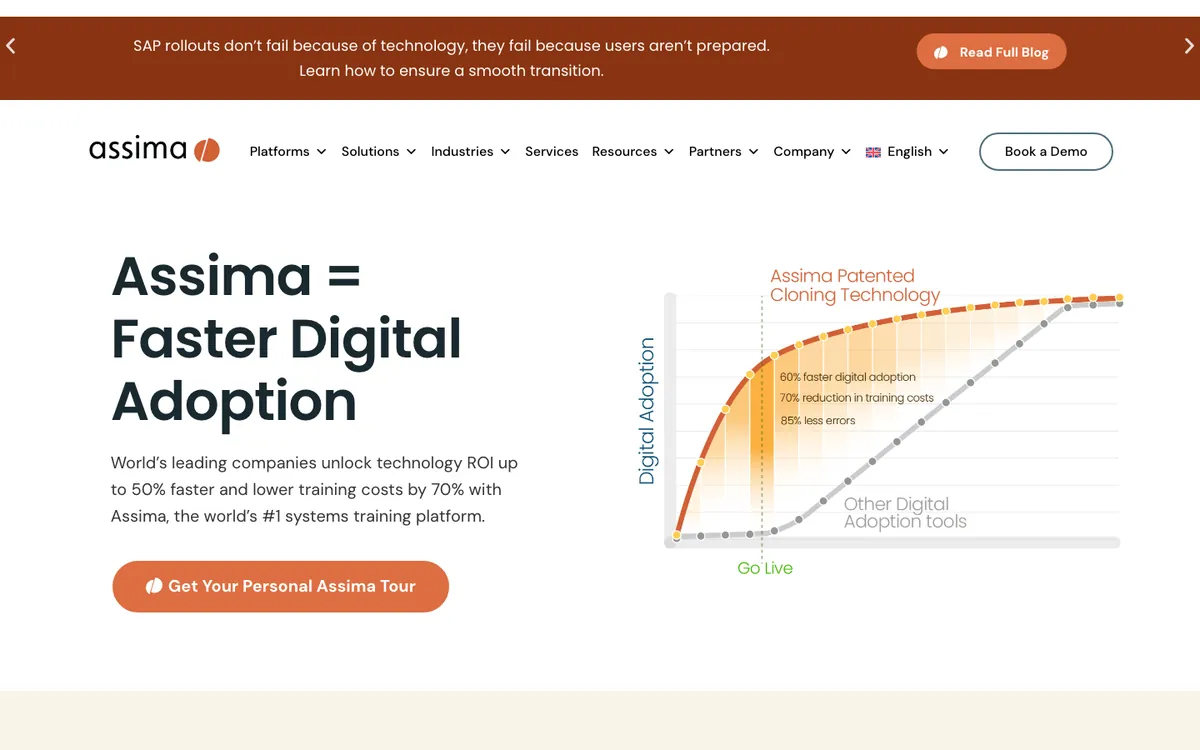
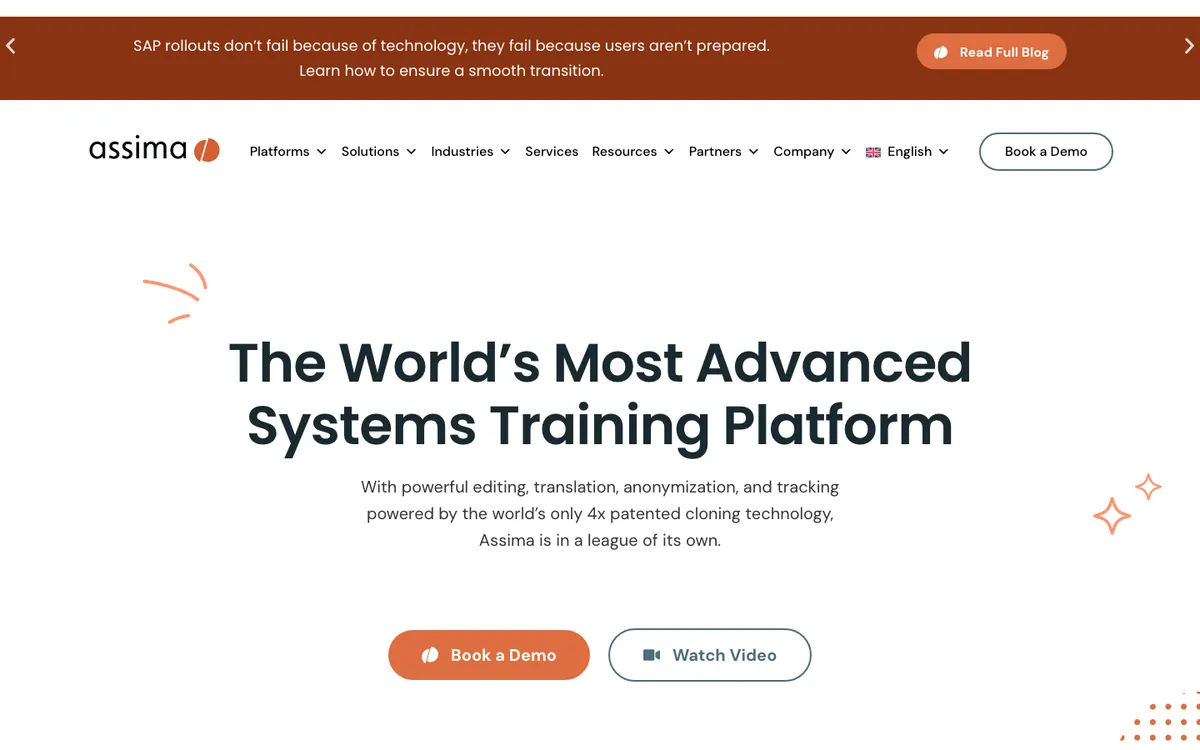
Assima calls itself "the world's #1 systems training platform" and sells three products: Assima Train (simulations), Assima In-App Search and Assima Assist (in-app guidance). In Train, an author clicks through a process in the target application and Assima captures "only objects of the user interface, not your source code or database". The result is what Assima calls an editable clone, built on what it describes as patented cloning technology. Learners can click, scroll, use dropdowns and enter data in fields, in any order, and authors can add, resize or remove fields, menus and buttons, or mass-replace data across lessons, "without re-capturing a new set of screenshots". Assima names SAP S/4HANA, Salesforce, Workday, Oracle Cloud, EMR and EHR systems and homegrown applications.
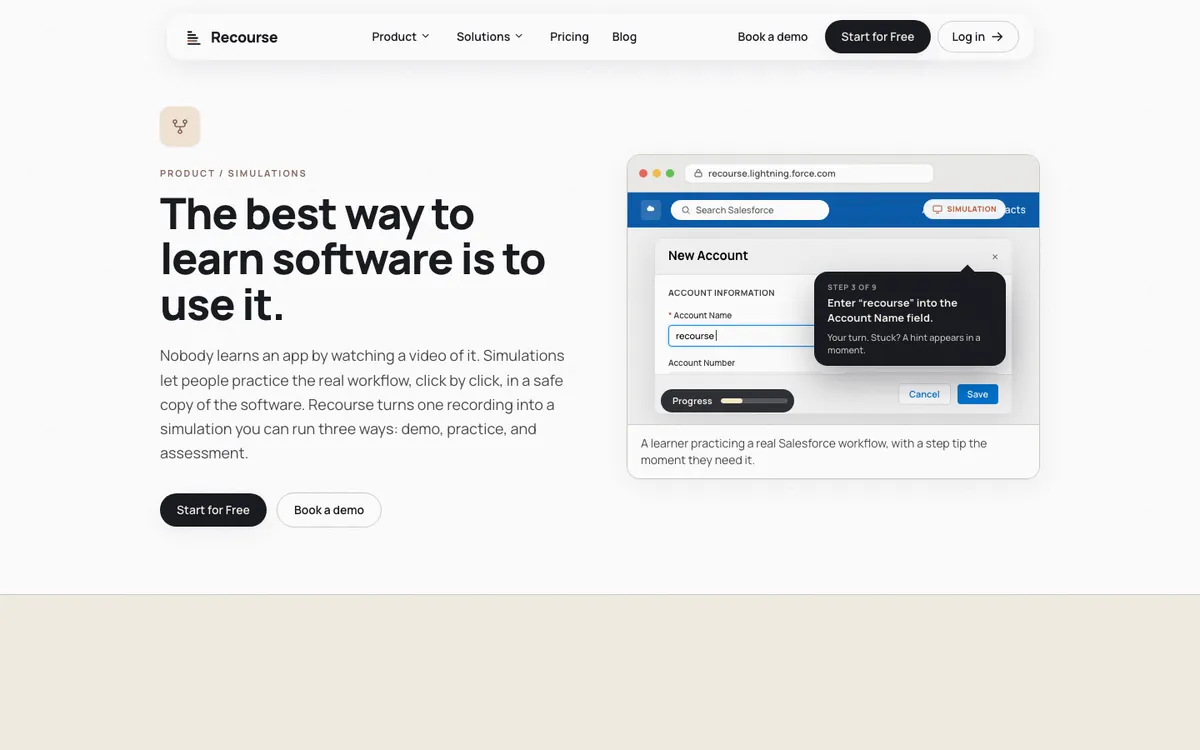
Recourse starts from a task someone has already done or can do once. Click through it in the real app with the Chrome extension, which captures the screens, the clicks and the structure, or upload any recording: a Loom, a Zoom share, a recorded UAT or handover session, an old MP4. Recourse generates a simulation with three modes. Demo is a guided walkthrough with narration. Practice has the learner do each step in a safe copy; if they get stuck they see a hint, then a nudge, then the answer. Evaluate is a scored assessment with a pass mark that reports to the LMS. A reviewer edits every step before it ships, and the simulation sits inside a course built with course blocks, themes and AI editing.
Side by side
| Assima | Recourse | |
|---|---|---|
| How the simulation is made | Author clicks through the live app; Assima captures UI objects into a clone | Chrome extension click-through (screens, clicks, structure), or upload any recording |
| Desktop applications | "Any enterprise application including homegrown applications" | Only by uploading a video |
| When the app changes | Edit fields, menus and buttons in the clone; mass-replace data across lessons | Re-capture the changed step and regenerate |
| What the learner does | Clicks, scrolls, uses dropdowns and enters data in any order on the clone | Demo, Practice with hint, nudge and answer, Evaluate; click and typed steps |
| Assessment | Evaluation output mode; tracks "every click and input field" | Evaluate: scored, with a pass mark, reported to the LMS |
| LMS | SCORM 1.2 and 2004; LTI 1.1 and 1.3; e-learning links that update in place | Static SCORM and xAPI from Pro; live SCORM on Team; no LTI |
| In-app help | Assima Assist and Assima In-App Search | None |
| AI | Not described on the pages we read | Generates the simulation, AI voice narration, AI course editing, build from Claude or ChatGPT over MCP |
| Where it runs for authors | Not stated on the pages we read | In the browser; works on Mac |
| How to start | Book a demo | Free 30 days, full access, watermarked |
| Price | Not public; demo only | Free 30 days; Solo, Pro and Team on request |
| Track record | "20-year track record"; Société Générale, EGA and Jamf among its logos | New product |
Where Assima is ahead
- Editing the clone. Because Assima captures interface objects rather than images, an author can add a field, change a dropdown or swap data across many lessons without going back to the application. Recourse has nothing equivalent.
- In-app help from the same vendor. Assima Assist gives "contextual, in-app guidance" in the live application, and In-App Search finds training content based on the user's current screen and role. Recourse does not run inside the live app.
- Enterprise references and standards. Assima shows Société Générale, EGA and Jamf on its home page, quotes AkzoNobel on its platform page, and supports LTI 1.1 and 1.3 as well as SCORM. Recourse is new and has no LTI.
- Desktop applications. Assima says it works on any enterprise application. Recourse covers desktop software only through an uploaded video.
Where Recourse is ahead
- Time to the first simulation. There is no implementation project and no sales call. Install the Chrome extension and click through the task, or upload the recording you already have, and Recourse generates the simulation for a reviewer to check.
- It works from recordings that already exist. A recorded UAT session, a Zoom handover or an old MP4 can become practice. Assima starts with a fresh capture in the target application.
- AI does the drafting. Recourse generates the steps, narration and course around them, and you can build from Claude or ChatGPT over MCP. The Assima pages we read describe capture and editing, not AI generation.
- Self-serve, starts free. The free plan runs 30 days with full access and the Chrome extension; the only restriction is a watermark. Assima's site offers a demo and no trial.
- Coaching in Practice. A learner who gets stuck gets a hint, then a nudge, then the answer, so practice does not end at a wrong click.
On editing without recapture, the honest position is this: the Recourse Chrome extension captures the structure of each screen as well as the pixels and clicks, so a simulation is more than a stack of screenshots, and a changed screen means re-capturing one step rather than the whole task. That is not cloning. If your team needs to alter fields and data across hundreds of lessons without touching the application, Assima does that and Recourse does not.
What Recourse does not do
No live-app overlay or in-app guidance. No branching yet: each simulation follows one right path. Branching is on the roadmap. No LTI, cmi5 or AICC. No native LMS. No threaded review comments. Desktop applications only through an uploaded video. If in-app help is part of the job, Assima Assist or a digital adoption platform covers it and Recourse does not.
Pricing
Assima publishes no prices. Its home page offers to "discuss your environment & pricing options" and every product page leads to a demo.
Recourse is free for 30 days with full access. Paid plans (Solo, Pro, Team): pricing on request, book a demo at /pricing. Free has full access with a watermark and includes the Chrome extension. Solo is courses only, shared by Recourse link, with no SCORM export. Pro adds simulations, the Chrome extension, static SCORM and xAPI. Team is three seats with unlimited simulations, live SCORM.
Frequently asked questions
What is the difference between Assima and Recourse?
How much does Assima cost?
Does Assima use screen recordings?
Can Recourse update a simulation without re-recording the whole task?
Do Assima and Recourse work with an LMS?
Is there an Assima alternative you can try without a demo?
How we checked
Assima's facts were read from the linked pages on 29 October 2026; customer names come from the logos and quotes on those pages. Recourse's facts come from our pricing page and product. Corrections to hello@recoursehq.com.
- Assima home page, systems training platform, Assima Train, FAQ
- Assima Assist and Assima In-App Search
- Recourse pricing and Recourse simulations
Related
Last checked 29 October 2026. Assima's features are taken from its public pages and can change.