Software simulations
iorad vs Scribe
Both tools watch you click through a process and turn it into something you can share. That is where the similarity ends. Scribe makes documentation: screenshot guides, AI-drafted pages, embeds. iorad makes tutorials a learner can interact with, including a scored mode, and exports SCORM. The price gap is about seven to one. This page does not recommend any third product.
Updated
Facts checked on 29 October 2026 against each vendor's own pages.
Choose Scribe when the output is a how-to for a knowledge base or an SOP library and the reader will follow it on their own. Choose iorad when the output is training that needs to live in an LMS, be completed, and in some cases be scored. If you only need the former, iorad's price is hard to justify; if you need the latter, Scribe cannot do it.
What each produces
Scribe captures with a Chrome or Edge extension (Windows and Mac desktop apps are Pro and Enterprise features) and produces a step-by-step guide with screenshots and auto-written text. Guides can be grouped into Pages, which AI drafts and populates with the relevant guides. Output is a shareable link, an embed, an export to PDF, HTML, Markdown or Word, or "share as video" playback. There is no mode in which the reader performs the steps and gets feedback.
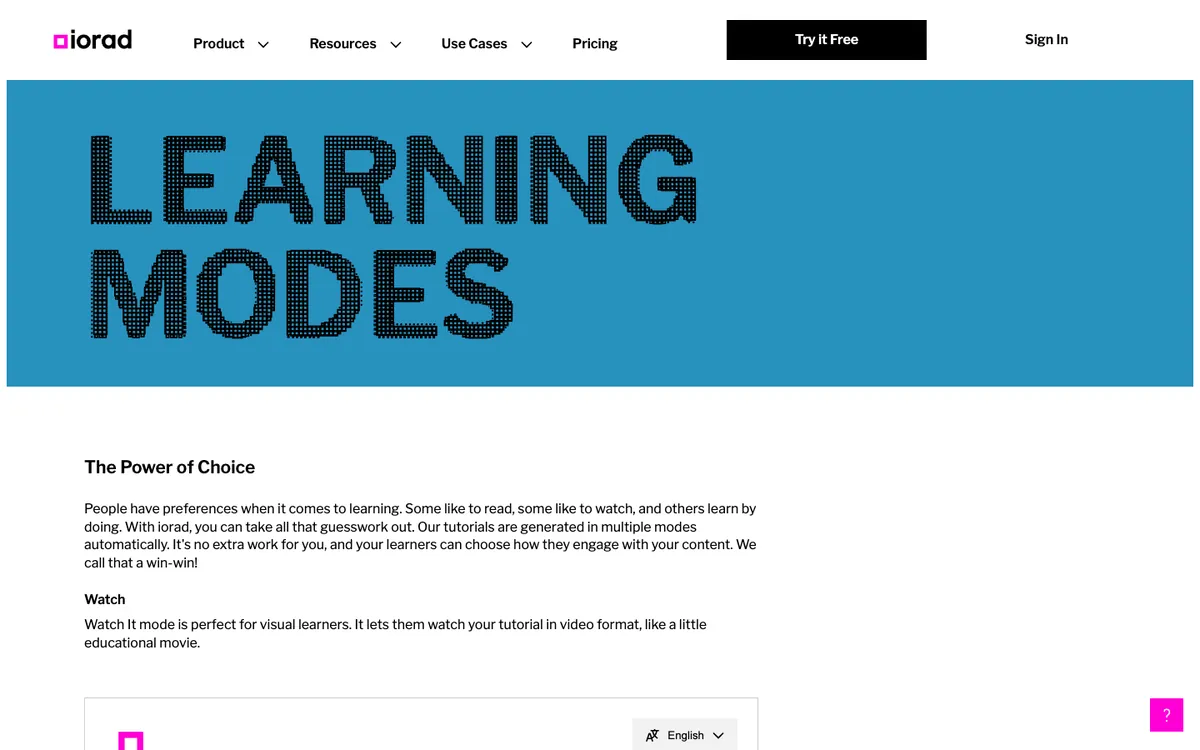
iorad captures with a Chrome, Firefox or Edge extension or a Mac or Windows app and generates six modes from one recording. Watch is a video. Scroll and Slide are reading formats. Try is a guided click-through with step prompts. Do and Live Guidance overlay steps on the real application. Quiz requires the learner to "complete the correct action on screen in order to progress", with scoring. Exports cover MP4, Word, Google Docs and Slides, PDF and, on Enterprise, HTML, SharePoint and SCORM 1.2 packages per mode.
Side by side
| iorad | Scribe | |
|---|---|---|
| Free tier | No time limit; tutorials public and indexable; no analytics or branding | Basic plan; editing limits; extension only |
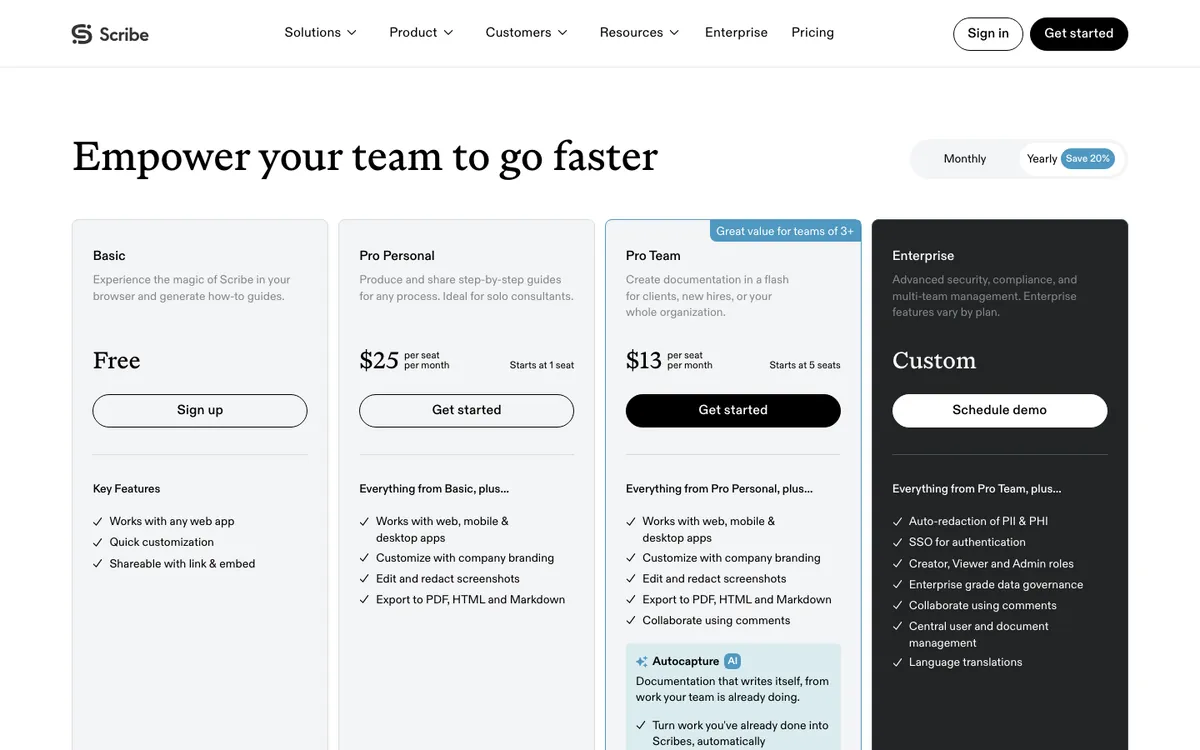
| Paid price | Individual $200 a month; Team $500 a month plus $50 per extra seat; Enterprise quote | Pro Personal $35 a month (1 seat); Pro Team $17 per seat (5+ seats); $25 and $13 billed yearly; Enterprise custom; all members on one tier |
| Capture | Chrome, Firefox, Edge; Mac and Windows apps | Chrome, Edge; Windows and Mac apps on Pro and Enterprise |
| Interactive mode | Try, Do, Live Guidance; Quiz validated and scored | None |
| LMS | SCORM 1.2 per mode (Enterprise); completion, score and time pass back; native 360Learning, Canvas, Brightspace, Litmos | No SCORM mentioned; LMSs listed as link and embed targets |
| Translation | 100+ languages, contact sales | 110 languages on demand, Enterprise only |
| Analytics | Dashboard on Individual; advanced analytics on Team | Views and completion on all plans; who viewed on Pro and up |
| SSO | Team and up (SAML, Okta, Auth0, Azure) | Enterprise, with SCIM |
| AI | Storyteller narration-driven editing (10 free uses); MCP connector | AI titles and descriptions; Pages drafting; Optimize workflow intelligence; MCP and API |
| Company | Founded 2007; "30M+ learners" | Founded 2019, San Francisco; $130M raised; $1.3B valuation (Nov 2025) |
Pricing, in plain terms
Scribe is priced like documentation software: per seat, tens of dollars a month, with a free plan and all team members on the same tier. iorad is priced like training software: per creator, hundreds of dollars a month, unlimited learners, with the LMS exports held back for Enterprise. A team of five on Scribe Pro Team is $145 a month; the same five on iorad Team is $700. Neither publishes an Enterprise price.
Updating after the software changes
Neither tool detects that an interface has changed. Scribe lets you add, merge and delete steps and annotate or redact screenshots (redaction is permanent once saved). iorad offers resume or restart during capture, draft mode and version history with rollback; per-step re-recording is not documented. For embedded tutorials, iorad says an edit updates everywhere the tutorial is deployed, and a third-party LMS vendor confirms embedded iorad tutorials update in the lesson automatically. Scribe embeds also reflect edits to the source guide.
What users complain about
Scribe, rated about 4.8 on G2 from several hundred reviews and 4.8 on Capterra from 39, draws complaints about redaction for sensitive data, auto-blur catching names it should not, and editing limits on the free plan. iorad, 4.7 on Capterra from 59 reviews, draws praise for support and complaints that steps cannot be reordered, that two tutorials cannot be combined, and that pricing is high for small businesses.
Choose iorad if
- The tutorial must be completed and tracked inside an LMS.
- You want a scored mode where the learner has to click the right thing.
- You need Live Guidance overlaid on the real application.
Choose Scribe if
- You are building a knowledge base or SOP library, not a course catalogue.
- Many people will create guides and the per-seat price matters.
- You want AI-drafted process documents that pull in the guides automatically.
Frequently asked questions
Is Scribe cheaper than iorad?
Which one works with an LMS?
Does Scribe have an interactive mode like iorad's Try or Quiz?
Which captures desktop applications?
How we checked
Every figure was read from the linked page on 29 October 2026. Scribe's help centre and both review sites block automated requests, so review figures come from search results. Corrections to hello@recoursehq.com.
- iorad pricing, learning modes, features, training deployment, leadership
- Scribe pricing, integrations, Scribe AI, translation announcement, TechCrunch on Scribe
Related
Last checked 29 October 2026. Prices and features are taken from public vendor pages and can change.