ERP and software training
ClickLearn alternatives: 8 tools for ERP and software training
ClickLearn is a Danish tool that records a process in Dynamics, SAP, Oracle or IFS and produces documentation and training in seven formats and 45 languages, with a Replay feature that re-records when the application changes. It is Windows-only, quote-priced and demo-led, which is where most people start looking elsewhere. Here are eight alternatives, with every fact from the vendor's own pages or help centre.
Updated
Facts checked on 29 October 2026 against each vendor's own pages.
If you are an SAP shop, the live choice is WalkMe Learning Arc, because SAP is retiring Enable Now into it. If you need the deepest SAP and Oracle simulation fidelity and have an enterprise budget, Assima and uPerform are the long-standing specialists. For in-app guidance rather than training content, Whatfix is the closest like-for-like DAP. For a browser-based tool that turns a recording into practice without ERP connectors or a sales cycle, Recourse. Oracle Guided Learning only makes sense for Oracle applications.
What ClickLearn does, and the fine print
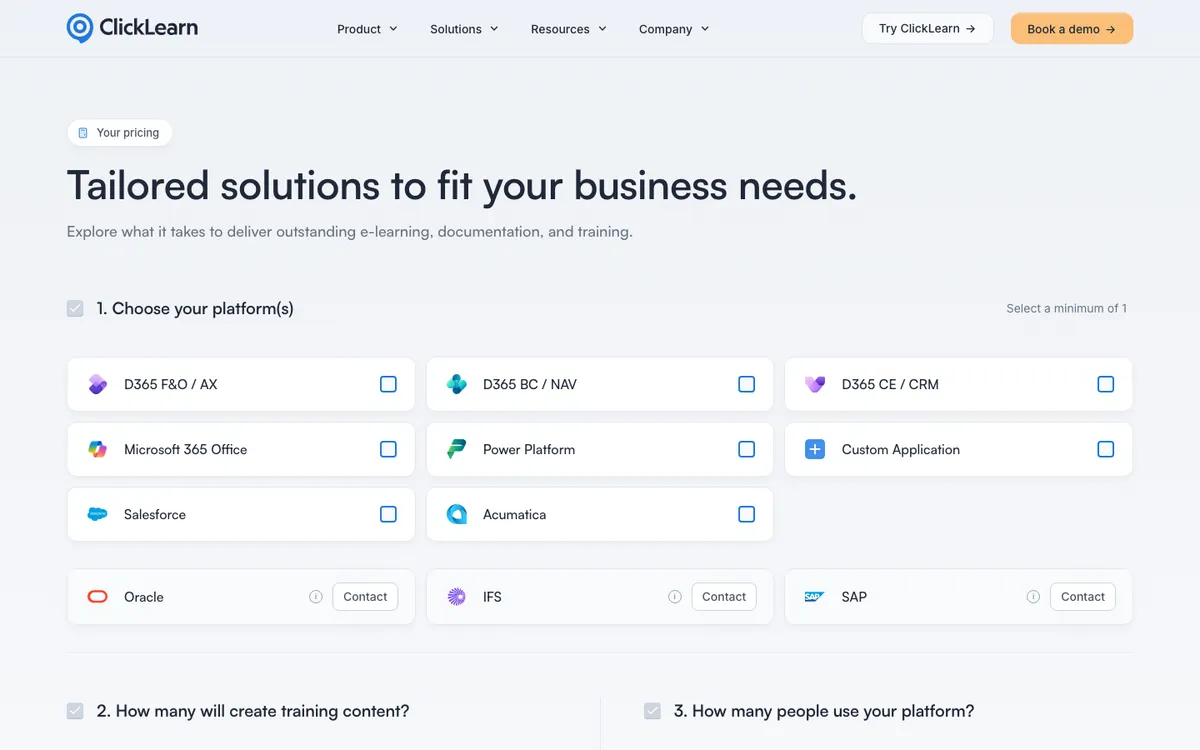
ClickLearn ApS (Copenhagen, founder-owned, 31 staff in August 2026, "800+" or "1000+" customers depending on the page) records a process with a Windows desktop studio plus a Chrome or Edge extension, using connectors for Dynamics 365 Business Central, Finance and Operations, Customer Engagement, NAV, AX and GP, Power Apps, IFS, SAP GUI and NetWeaver Business Client (SAP GUI Scripting required), Oracle, Salesforce and Acumatica. From one recording it produces seven formats: Show Me, Try Me and Test Me videos, Word, PDF and PowerPoint, and a Virtual Assistant inside the application, plus HTML and SCORM 1.2 or 2004 packages (xAPI is not mentioned). Content can be translated into 45 languages and narrated by VoiceCloud in 50+.
Replay is the headline feature and worth understanding precisely. It re-drives your recorded clicks on the live system and re-captures each screenshot, which is why the help centre says "do not touch the keyboard and mouse" while it runs, requires the same application open on a 96 DPI primary screen, and notes that 99% of failures are data problems rather than UI changes. When it cannot find an element it stops and opens a Replay Assistance window, and a partial replay leaves the recording with screens only up to the failed step (versions can be restored). After a replay you produce and publish again; SCORM packages are files you re-upload. A "Replay 2.0" was demoed on 27 October 2026.
Pricing is a configurator with no visible numbers, SAP, Oracle and IFS are "tailored pricing", onboarding is a fixed fee, and there is no self-serve trial. On G2 it holds 4.5 from 40 reviews and on Capterra 4.3 from 22; aggregators summarise the complaints as a steep learning curve for authors and Windows-only authoring.
The eight alternatives at a glance
| Tool | Type | Records desktop apps (SAP GUI) | Learner practice | LMS output | Price |
|---|---|---|---|---|---|
| WalkMe Learning Arc | Learning product of a DAP | Yes, via desktop Menu agent | Demo, Practice, Test | SCORM 1.2 and 2004, manual re-export | Quote; 30-day trial |
| Recourse | Simulations wrapped in courses | From an uploaded video | Demo, Practice, Evaluate | SCORM and xAPI from Pro; live SCORM on Team | Free for 30 days; plans on request |
| SAP Enable Now | Authoring, retiring | Yes, SAP GUI Scripting | Demo, Practice, Test, Concurrent | SCORM 1.2 and 2004, AICC | Per user; no new renewals after Apr 2027 |
| uPerform | Authoring plus in-app help | Yes, Windows and web, SAP named | Simulations and assessments | SCORM 1.2, AICC | Quote, demo only |
| Assima Train | Cloned-UI simulation | Yes, Windows launcher | See it, Try it, Do it | SCORM 1.2 and 2004, LTI 1.1 and 1.3 | Quote, no trial |
| EpilogueIQ | DAP plus authoring | Yes, desktop recorder | Watch, try, test | SCORM and xAPI | Per user or unlimited; $6,000 implementation |
| Whatfix | DAP plus Mirror simulations | Yes, Whatfix Desktop (SAP GUI named) | Mirror playground and assessment | SCORM 1.2 flows; Mirror SCORM 1.2 and 2004 | Quote |
| Oracle Guided Learning | DAP for Oracle apps | No, web only | Simulation mode on paid tier | None | Per user, per year, per application |
1. WalkMe Learning Arc
WalkMe has been an SAP company since September 2024, and Learning Arc, announced in September 2025, is the product SAP is moving Enable Now customers to. It records workflows, including desktop ones such as SAP GUI through the WalkMe Menu for Desktop agent, and turns them into simulations in Demo, Practice or Test mode, exportable as PDF, Word, PowerPoint, video or SCORM 1.2 and 2004. Two things to know: Learning Arc updates do not sync to the LMS ("changes require a manual re-export"), and one-click publishing to SAP SuccessFactors Learning is scheduled for Q4 2026. Pricing is quote-based, but there is a 30-day trial with no card, which is unusual in this category.
Pick it when you run SAP and want the vendor's own path forward, with the Joule action bar and SuccessFactors integration on the roadmap.
2. Recourse
Browser-based: click through a web workflow with the Recourse Chrome extension, which captures the screens, the clicks and the structure, or upload any recording of any application, SAP GUI included (a recorded UAT session, a Zoom share, an old MP4), and it builds a click-by-click simulation with Demo, Practice and Evaluate modes, with hints when a learner stalls and a scored pass mark in Evaluate that reports to the LMS. The simulation is wrapped in a structured course. Solo is for courses shared by a Recourse link, with no SCORM export; Pro adds simulations, the Chrome extension, and static SCORM and xAPI; Team is three seats with unlimited simulations, live SCORM (a hosted package that updates in every LMS when you edit). It is free for 30 days with full access, and Solo, Pro and Team are priced on request. Unlike ClickLearn it has no ERP connectors that read field names, no in-app assistant, no automated replay against the live system and no process-testing feature. See Recourse vs ClickLearn.
Pick it when the training is about a process people need to practise, the source is a recording rather than a documented spec, and you want to start with a trial instead of a quote.
3. SAP Enable Now
The closest functional match to ClickLearn, and the one with a clock on it. Enable Now records with a desktop Producer (SAP GUI Scripting required) or an Edge or Chrome extension, handles Citrix through graphical recognition, produces Demo, Practice, Test and Concurrent simulations plus Word, PDF, HTML and PowerPoint, exports SCORM 1.2, SCORM 2004 3rd and 4th edition and AICC, and can re-record "macro by macro" when the application changes. SAP has said that renewals will not be possible beyond 30 April 2027 and the cloud product is supported until 30 November 2030, with existing content importable into Learning Arc as microlearnings that are not directly editable there.
Pick it when you already own it and are planning the transition, not as a new purchase.
4. uPerform (ANCILE)
uPerform records Windows and web applications, with SAP (S/4HANA, Fiori, ECC, SuccessFactors), Oracle, Epic, Workday and ServiceNow named, and produces work instructions, quick references, courses, simulations and test scripts as HTML, PowerPoint, PDF and Word, with AICC and SCORM 1.2 for the LMS and content delivered inside the application. It claims 30+ languages, text-to-speech, and use by half the Fortune 100 and large health systems. ANCILE, based in Elkridge, Maryland, was formed in 2010 from RWD Technologies. Pricing is demo-only, and a third-party review site scores it 6.6 out of 10 with "difficult to learn" as the main complaint.
Pick it when you are a large SAP or healthcare organisation with a documentation team and a long rollout.
5. Assima Train
Assima's patented cloning captures the UI objects of the real application rather than pixels, which gives you an editable, fully interactive copy with See it, Try it and Do it modes and lets you change data or localise without re-recording. It exports SCORM 1.2 and 2004 and supports LTI 1.1 and 1.3, including "e-learning links" that connect the LMS back to the platform so content stays current without re-upload. Authors need a Windows machine; SAP Fiori and classic GUI, Salesforce, Workday and Oracle Cloud are named. It is demo-only with no trial; a UK reseller listing shows about £4,456 per licence per month. See the Assima alternatives page.
Pick it when simulation fidelity on complex SAP screens matters more than price.
6. EpilogueIQ (formerly Epilogue Opus)
Epilogue Systems (Villanova, Pennsylvania, since 2012) rebranded Opus as EpilogueIQ in mid-2026. It records through a Chrome or Edge extension plus a lightweight desktop recorder and produces Follow Me walkthroughs on top of Oracle, SAP, Workday, Salesforce and ServiceNow, watch, try and test simulations, job aids and digital books, downloadable as MP4, PDF, SCORM and HTML with xAPI output as well. Publishing covers 32 languages. Pricing is per user or enterprise-unlimited with a $6,000 one-time implementation fee, and the vendor says "no APIs, no integrations". Its team built Oracle UPK and it has long offered a UPK converter.
Pick it when you are leaving Oracle UPK, or want in-app walkthroughs and training content from one recording with a simple licence.
7. Whatfix
A digital adoption platform first: Flows, Smart Tips, Self Help and Task Lists overlaid on web apps, with Whatfix Desktop for SAP GUI and Java applications. Mirror, launched in 2024, adds interactive replicas for sandbox practice and scored assessments with AI role-play since March 2026. Flows export as SCORM 1.2 or xAPI on Enterprise (enabled by support) and Mirror simulations as SCORM 1.2 or 2004. UI changes are handled by manual element reselection, with an AI auto-heal feature in beta. Pricing is quote-based on employees with access. The company raised $125 million in September 2024.
Pick it when in-the-flow guidance is the primary need and simulations are secondary.
8. Oracle Guided Learning
Oracle's own DAP, from the 2018 Iridize acquisition, embedded in Fusion Cloud, NetSuite and APEX and configurable for PeopleSoft, JD Edwards and E-Business Suite, plus non-Oracle web apps such as Salesforce and ServiceNow. It is web-only, offers guides, smart tips and a simulation mode on paid tiers, translates into 31 languages, and exports usage data as Excel; there is no SCORM or xAPI. Pricing is per user, per year, per application, with an included tier for Fusion customers limited to 15 guides. Oracle says UPK content cannot be migrated to it.
Pick it when your estate is Oracle Fusion and in-app guidance is enough.
How to choose
- Which applications, and where do they run? SAP GUI and other desktop apps need a desktop recorder (ClickLearn, Enable Now, uPerform, Assima, EpilogueIQ, Whatfix Desktop, Learning Arc) or a video (Recourse). Web-only tools (Oracle Guided Learning) are out.
- Documentation, training, or in-app help? ClickLearn, Enable Now, uPerform and EpilogueIQ do all three. WalkMe, Whatfix and OGL lead with in-app help. Recourse and Assima lead with practice.
- How will you keep it current? Replay-style re-recording (ClickLearn, Enable Now), object-level cloning (Assima), hosted packages that update in place (Assima links, Recourse live SCORM), or manual re-export (Learning Arc, Whatfix).
- How do you want to buy? Only Learning Arc and Recourse offer a trial you can start today; everything else starts with a demo or a quote.
What Recourse does not do
- No overlay on the live application and no in-app guidance.
- No branching yet: each simulation follows one right path. Branching is on the roadmap.
- No LTI, cmi5 or AICC output.
- No native LMS.
- No threaded review comments.
- Desktop applications only through an uploaded video.
If your programme is documentation-led and SAP GUI-heavy, ClickLearn or one of the desktop recorders above is the better fit.
Frequently asked questions
How much does ClickLearn cost?
What does ClickLearn Replay actually do?
Does ClickLearn support SAP GUI?
Is SAP Enable Now still an alternative?
How we checked
Every figure was read from the linked page on 29 October 2026. Review-site figures come from search results because G2 and Capterra block automated requests. Corrections to hello@recoursehq.com.
- ClickLearn pricing, Try ClickLearn, Replay introduction, What do I do when my replay fails, SCORM export, About ClickLearn
- WalkMe Learning Arc, Export simulations, Learning Arc and SuccessFactors
- SAP on the Enable Now transition and transitioning Enable Now content
- uPerform platform
- Assima systems training and FAQ
- EpilogueIQ pricing and product
- Whatfix Mirror, pricing, auto-heal
- Oracle Guided Learning and Oracle OGL and UPK FAQ
- Recourse pricing
Related
Last checked 29 October 2026. Prices and features are taken from public vendor pages and can change.